
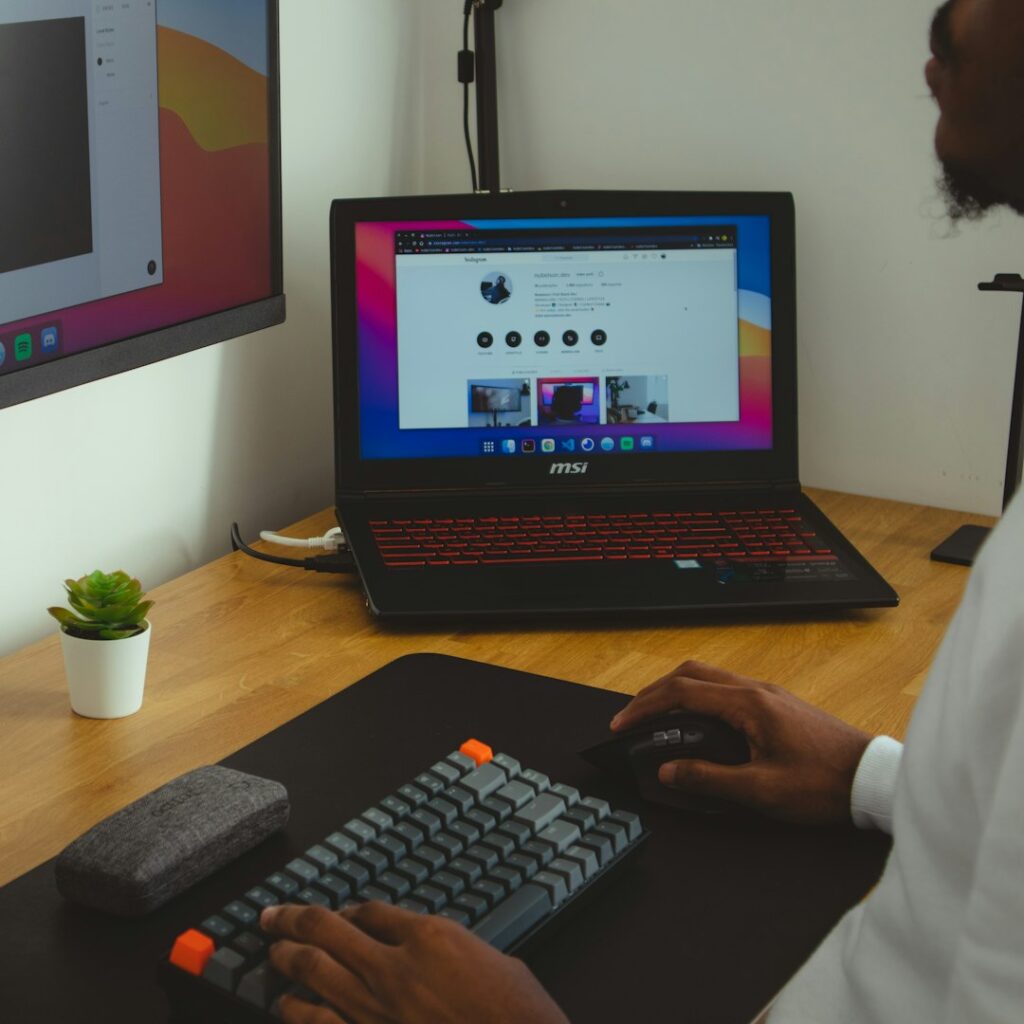
Long hours at a desk can contribute to neck stiffness, upper-back tension, low-back discomfort, and aching wrists. A spine-friendly workspace does not require expensive furniture. It depends mainly on arranging the chair, screen, keyboard, lighting, and daily movement so the body can work in a relaxed, supported position.
For residents working from home, studying, or managing a hybrid schedule, the same principles apply whether the workspace is a dedicated office, a dining table, or a compact corner of a room.
What does a spine-friendly workspace look like?
A spine-friendly setup keeps the head balanced over the torso, the shoulders relaxed, the elbows close to the body, and the feet supported. The goal is not to hold a rigid “perfect posture” all day. The goal is to reduce prolonged awkward positions and make it easy to change position regularly.
A useful starting position includes:
- Eyes looking generally straight ahead rather than sharply downward
- Shoulders relaxed instead of lifted toward the ears
- Elbows resting near the sides of the body
- Wrists mostly straight while typing
- Lower back supported by the chair
- Feet flat on the floor or on a stable footrest
- Enough room to move the legs and change position
Even a well-arranged workstation can become uncomfortable if the body stays still for several hours. Comfort depends on both setup and movement.
How should a desk chair be adjusted?
Adjust the chair before changing the desk or monitor. Sit all the way back so the chair supports the pelvis and lower back. The seat should allow the knees to bend comfortably, with the feet supported and the thighs roughly level or angled slightly downward.
If the feet do not reach the floor after raising the chair to a comfortable desk height, use a stable footrest, firm box, or another secure support. Avoid balancing the feet on a rolling object.
The backrest should support the natural curve of the lower back without forcing the torso upright or pushing the body too far forward. Armrests can be useful if they allow the shoulders to remain relaxed. If they cause the shoulders to lift or prevent the chair from getting close enough to the desk, lower them or move them out of the way.
A common mistake is sitting at the edge of the seat and leaning toward the screen. This places more demand on the back and neck. Scooting the chair closer to the desk is usually better than reaching forward with the head and shoulders.
Where should the monitor go?
Place the main monitor directly in front of the body, not off to one side. The screen should be far enough away that reading does not require leaning forward, but close enough that the text can be viewed without squinting.
For many people, the top portion of the screen is near eye level or slightly below it. The exact height depends on screen size, glasses, vision needs, and the type of work being performed. The neck should remain comfortable rather than bent downward for long periods.
If two monitors are used, place the screen used most often in front of the body. Turn the chair or torso rather than repeatedly twisting the neck toward a secondary screen.
Glare can cause people to lean forward or tilt the head. In rooms with strong daylight, including home offices near bright windows, adjust blinds, curtains, or screen angle. A small change in lighting may improve posture more than raising the monitor.
Why is laptop use often harder on the neck?
A laptop combines the screen and keyboard in one fixed unit. If the keyboard is low enough for comfortable typing, the screen is often too low. If the screen is raised to eye level, the keyboard may be too high for relaxed shoulders and straight wrists.
For extended laptop work, place the laptop on a stable stand or stack of sturdy books and use a separate keyboard and mouse. The screen can then be raised while the hands remain at a more comfortable height.
Short laptop sessions at a kitchen table or during travel are not necessarily harmful. The difficulty comes from using the same cramped position for hours without changing it.
How should the keyboard and mouse be positioned?
The keyboard should be close enough that the elbows remain near the sides. The shoulders should not move forward significantly just to reach the keys.
Keep the wrists relatively straight and aligned with the forearms. Avoid resting the wrists on a hard edge while typing. A padded wrist support may be comfortable during pauses, but it should not encourage pressure against the wrist while actively typing.
Place the mouse close to the keyboard. Reaching repeatedly to the side can create tension in the shoulder and upper back. Alternate hands occasionally if that feels natural, but do not force a change that creates more strain.

If the desk is too high, raising the chair may help, but only if the feet can still be supported. A keyboard tray or another adjustment may be useful when the desk, chair, and body cannot otherwise be aligned.
How often should someone move during desk work?
Movement should be built into the workday rather than saved for the evening. Brief, frequent position changes are often more practical than waiting for one long exercise session.
Useful habits include:
- Stand or walk briefly during phone calls
- Look away from the screen at regular intervals
- Change the position of the feet and hips
- Roll the shoulders gently without forcing them
- Alternate computer tasks with reading, filing, or other activities
- Take short walking or stretching breaks before discomfort becomes intense
Standing desks are not automatically better for the spine. Standing in one fixed position can create foot, leg, hip, or low-back discomfort. If using a sit-stand arrangement, alternate positions and keep the screen and keyboard adjusted for each height.
What should home workers consider in Mamaroneck?
Many home workspaces in Mamaroneck are adapted from rooms that were not designed as offices. A dining table, bedroom corner, or shared household surface may work well temporarily, but these arrangements often create problems when the chair is too low, the screen is too close, or the workspace is used for most of the week.
Seasonal changes can also affect comfort. During colder months, bulky clothing, slippers, or reduced daylight may change how a person sits and how much they move. Make sure winter layers do not prevent the backrest from supporting the lower back, and use adequate lighting so the head does not drift toward the screen.
The workspace should also leave enough room to stand, turn, and walk safely. Cords, bags, and low objects near the feet can make movement less natural and increase the temptation to remain seated.
When does desk discomfort need medical attention?
Mild stiffness that improves after changing position is often a sign that the workstation or work habits need adjustment. Persistent or worsening symptoms deserve more attention, especially if discomfort interferes with sleep, walking, work, or daily activities.
Seek prompt medical evaluation for back or neck symptoms accompanied by significant weakness, numbness that spreads, loss of coordination, fever, unexplained weight loss, or changes in bladder or bowel control. Symptoms that begin after a fall, collision, or other injury should also be assessed.
A workspace adjustment can reduce strain, but it cannot explain every source of pain. The most useful approach is to observe which positions aggravate symptoms, make one change at a time, and monitor how the body responds over several days.